Export, download, or share analytics and reports
Available exports
Export options depend on the feature you are using:
| Output | Where to find it | What it does |
|---|---|---|
| Instagram trending audios CSV | Instagram audios | Choose Export as CSV. Requires Instagram trending audios access. |
| Scheduled Instagram CSV email | Instagram audios > Email Export Settings | Sends the latest export on your schedule. |
| Public campaign report link | A TikTok or Instagram campaign > Share | Anyone with the link can view the shared campaign report. |
| Campaign report PDF | A TikTok or Instagram campaign > Export as PDF | Generates a PDF from the shareable campaign report. |
Schedule an Instagram CSV email
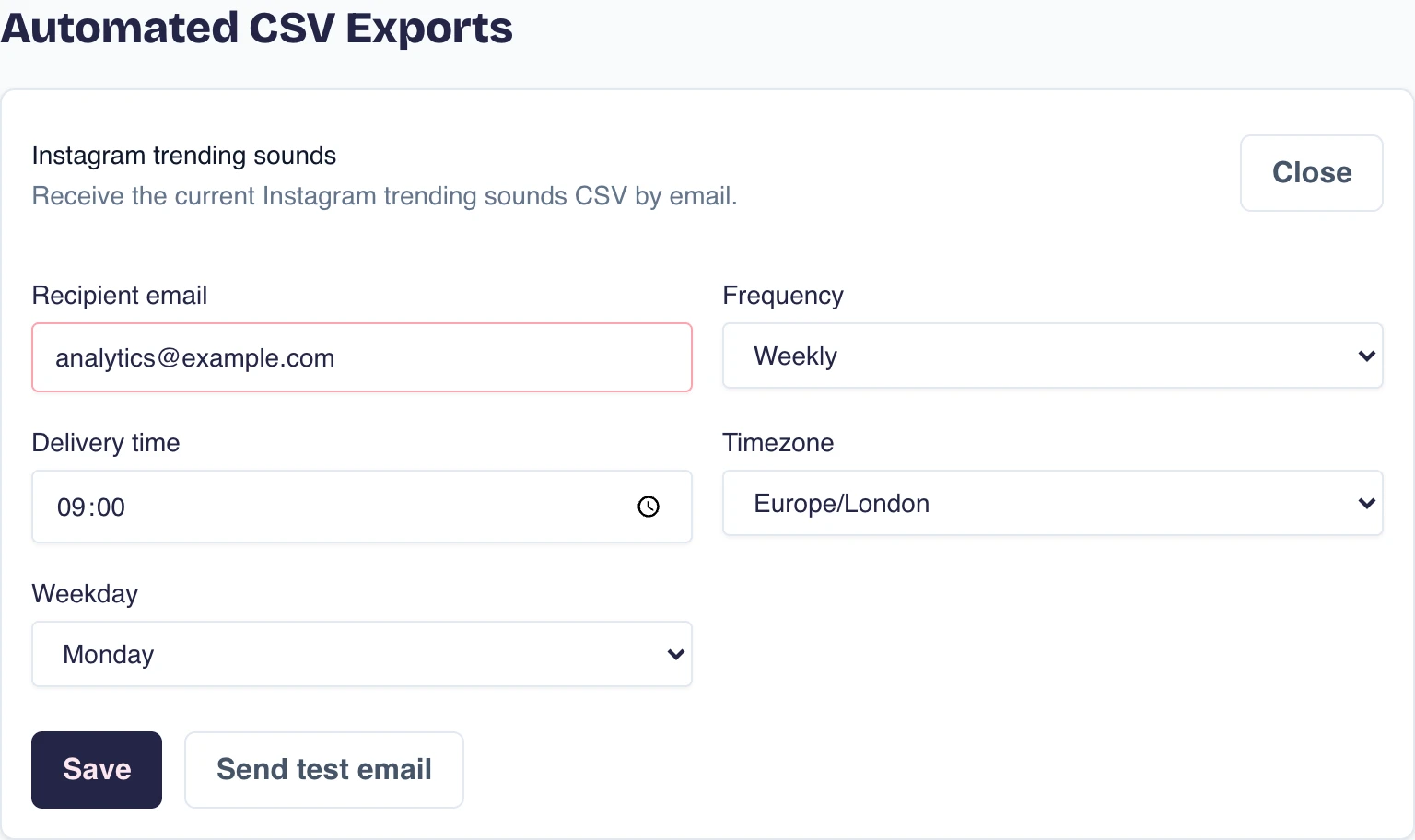
- Open Instagram audios and choose Email Export Settings. You can also open your account menu, choose Export Settings, and then choose Settings.
- Turn on Instagram trending audios if it is not already enabled.
- Set the recipient, frequency, delivery time, and timezone.
- Choose Save. Use Send test email to check the delivery.
Each email contains the current Instagram trending audios export at the time it is sent.
Share or download a campaign report
Open a campaign and choose Share to create a public report link. Anyone with the link can view the report. Turn on Hide influencer countries in shared report if you do not want location data included.
Choose Export as PDF to download the same report as a PDF.
Keep or share account analytics
Tracked-account analytics remain in the dashboard and continue updating. Completed Genius Reports remain in Your Reports as fixed account snapshots. To create a public link or downloadable PDF, use the campaign report options above.
Next steps
Use tracked accounts for analytics that keep updating, or generate a Genius Report for a fixed account snapshot.
Did this answer your question?
What was missing?
Thanks, that helps us keep it.
Thanks, we'll look at this article.
That didn't send.
Goes to the team that writes these articles