Check your API access
- Open the account menu from your name in the header.
- Choose API Access.
- Review Your API Access to see which API products your account can use.
The page may show that a different plan is required for an API. Open Billing & Invoices if you need to review your subscription.
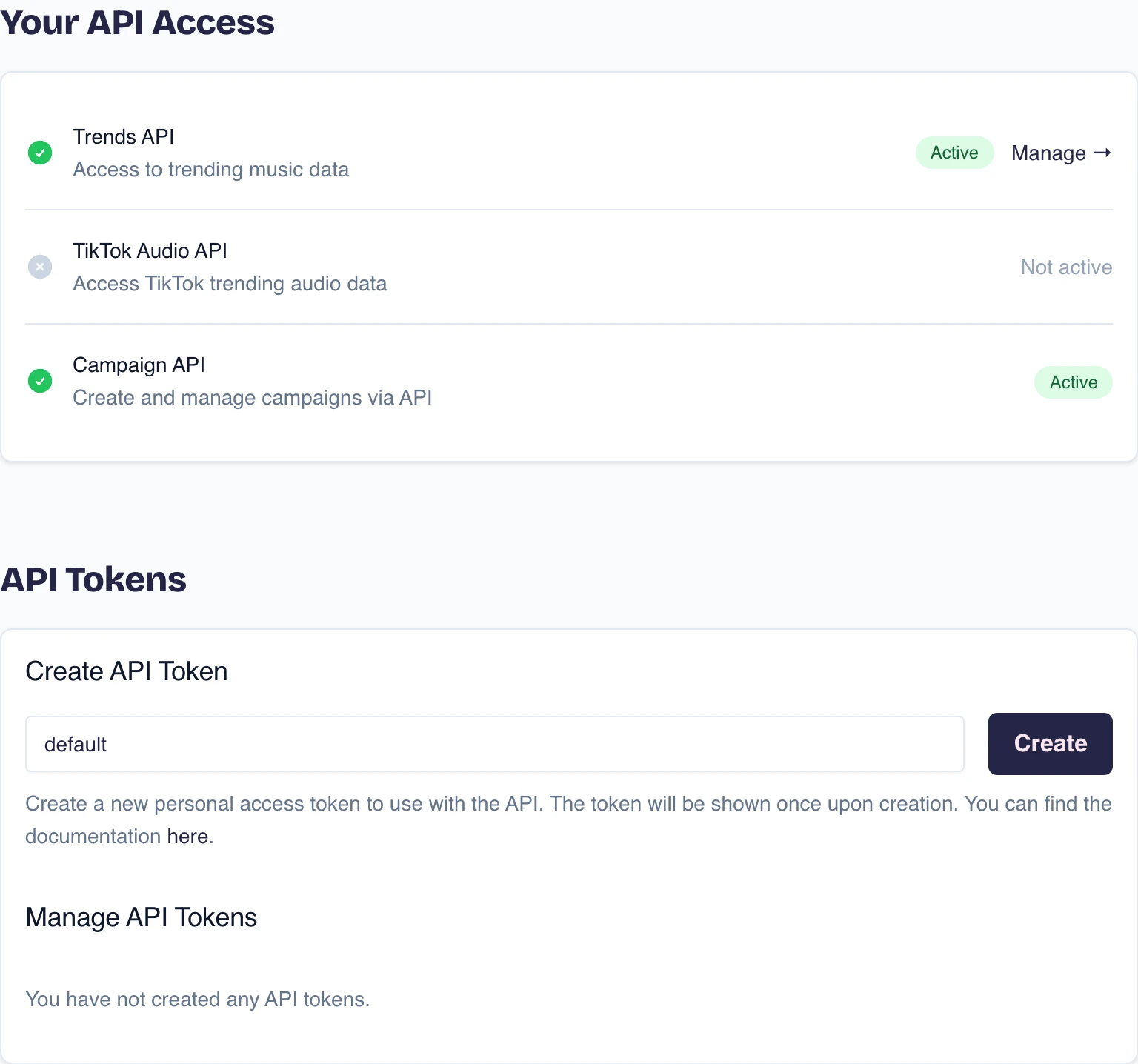
Create a token
- Scroll to API Tokens.
- Choose Create API Token.
- Give the token a name that identifies the service or person using it.
- Copy the new token immediately and store it in the service's secure secret storage.
Tokchart shows the full token only when it is created. If you lose it, remove that token and create a replacement.
Remove a token
Return to API Tokens, find the token by name, and use its remove or revoke action. Remove a token when the connected service no longer needs access or if the token may have been exposed.
Read the API documentation
Open Tokchart API documentation for the available endpoints and request details. If your access and the documentation do not match, contact support with the API product name and the on-screen message. Never include the token itself.
For Radar data, open a Radar and choose Copy API endpoint. Reading sounds
requires the Read Radar sounds permission. To create Radars through
POST /api/v1/radar, request Create Radars access from support; it can be
bundled with read access. Existing read-only tokens keep their permissions.
Discovery API access is arranged separately from dashboard access. Rename, change
filters, or archive existing Radars in the dashboard.
Next steps
Manage your subscription and invoices, or contact Tokchart support.